Screenshots
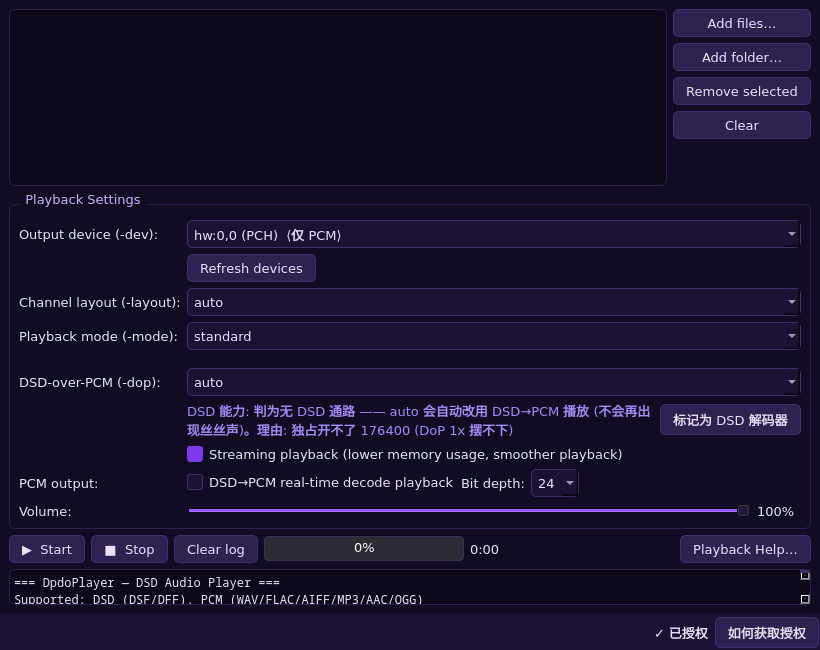
The GUI makes everyday listening easy: pick files, choose the output device, watch progress. The command-line edition (DpdoPlayerEngine) is identical in engine and made for batch work.
Native DSD player (GUI + CLI editions)
The GUI makes everyday listening easy: pick files, choose the output device, watch progress. The command-line edition (DpdoPlayerEngine) is identical in engine and made for batch work.
For everyday use: pick files, choose the output device, watch progress. The CLI binary carries the Engine suffix (DpdoPlayerEngine).
Native DSD output and DoP (DSD over PCM) transport, chosen automatically or manually according to the DAC.
Decodes DSF and DFF directly and unpacks DST-compressed discs on the fly — no pre-conversion needed.
Per-device output and a differential mode (channel i → device i) for multi-DAC and enthusiast setups.
DpdoPlayerDpdoPlayerEngine -dev hw:1,0 -mode native album.dsfDpdoPlayerEngine -dev hw:1,0 -dop force album.dffBoth: the GUI binary is DpdoPlayer, the command-line binary is DpdoPlayerEngine. The GUI targets everyday use; the CLI targets batch work and automation.
DpdoPlayer is part of the Dpdo product suite. See the dpdo.cn product page for versions and availability, or contact us for mastering and playback setups.
Native DSD output and DoP (DSD over PCM), plus DSD→PCM decoding for devices that only accept PCM.
From PCM to DSD, real-time recording, SACD ISO authoring and native DSD playback — the complete Dpdo toolkit.